To see examples of Manifesto in action check out the introductory video
FEATURE WALKTHROUGH
A good way to get familiar with Manifesto is to take a quick look at some examples
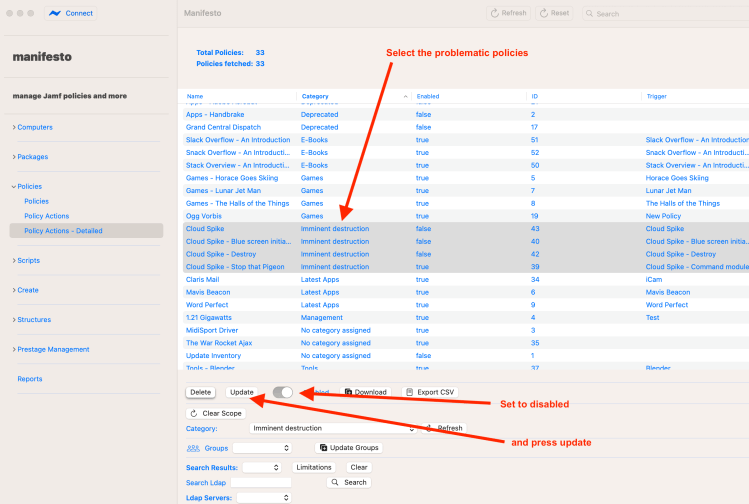
You can now view a list of policies, sort them by key attributes – category, enabled status, ID and title, and then operate on your selection. This makes housekeeping much easier.
For example:
- Disable/enable, or delete policies en masse.
- View policies by ID – these are generated chronologically so you can see when policies were created and which are the most recent
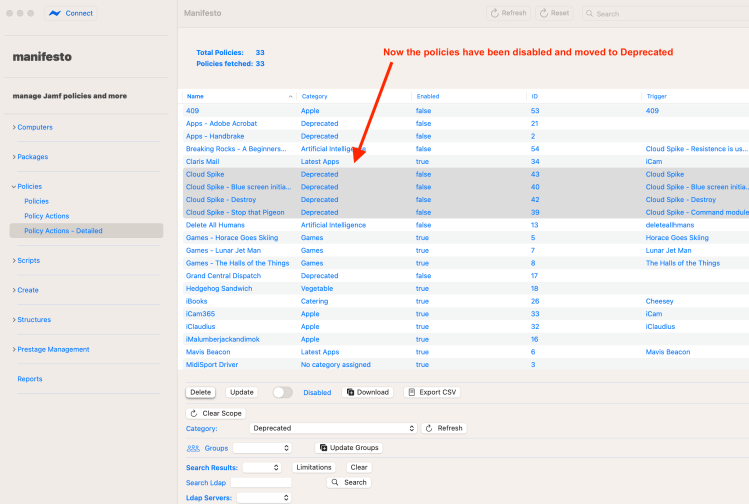
- Move policies en masse to a different category
See below an example of disabling multiple policies and moving to a different category
If for some reason you suddenly need to disable multiple policies Manifesto can really help.

From the point of view of housekeeping Manifesto is a time saver as it lets you move a number of policies into a a different category at once, and also disable or enable them.
- Update scoping on multiple policies
Likewise, if you discover that the scoping is wrong on a large number of policies Manifesto is your friend.
Batch options are provided to:
- Clear scoping on multiple policies
- Scope multiple policies to a group
- Apply limitations (via ldap group) to multiple policies
- Clear limitations on multiple policies
Usage of Packages/Scripts in Policies
Another area that manifesto can be useful is in giving feedback on the usage of your packages or your scripts within policies. How many packages and/or scripts are in your system but are not actually used anywhere?
First you need to download information on all the policies. And then you simply click the analyse button and you’re able to see which packages are not in use. You then have the option of deleting those packages.
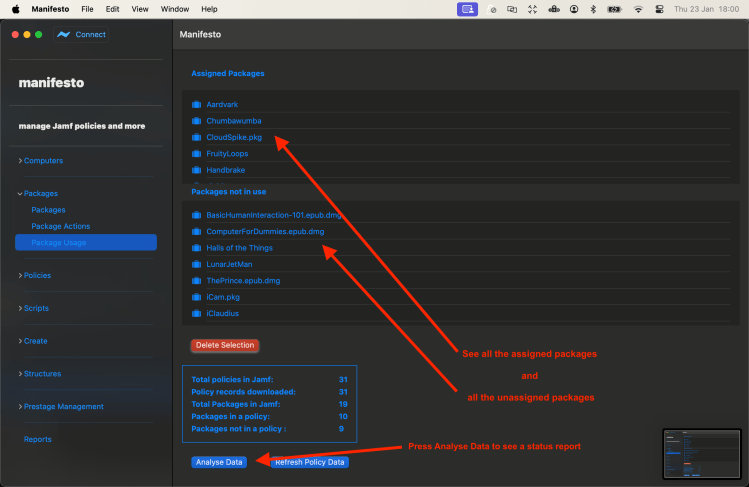
The same thing is true with scripts, and it is often the case that you will find the scripts have become obsolete, and no longer included in policies.
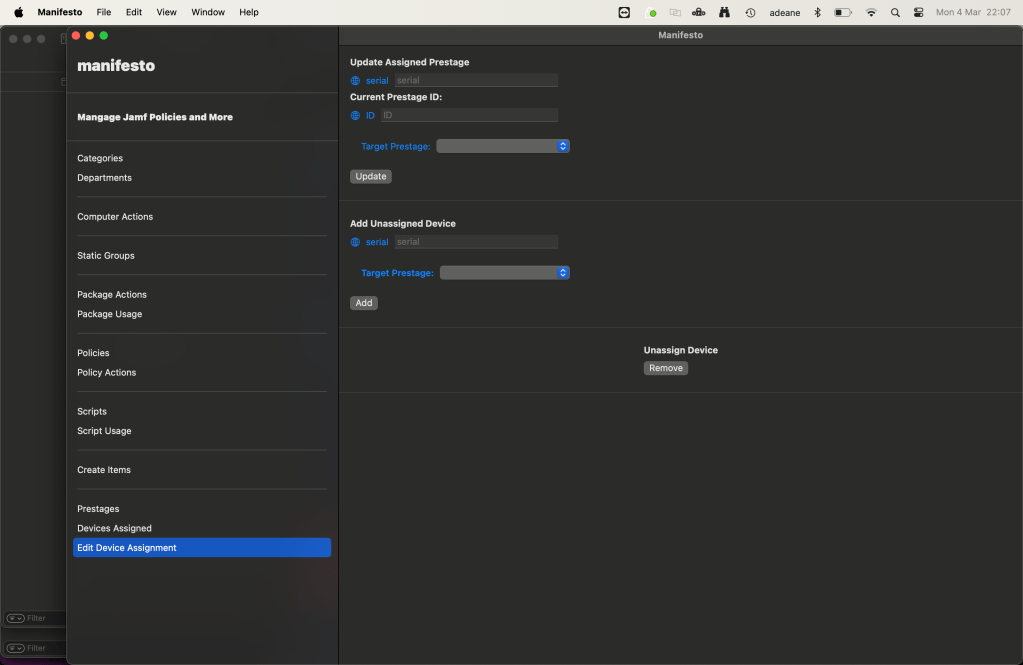
Another area Manifesto can provide help is to clarify tasks that staff with less knowledge of Jamf overall may be required to do. For example managing Pre-Stages which in the web to interface, this is both fiddly and confusing.
- Move devices between pre-stages from a simple interface
Staff building devices are often required to add remove and move devices between pre-stages which in the web requires multiple screens and considerable understanding of the enrollment process.
In Manifesto, I’ve reduced this to a few simple screens. It is possible to:
- List all devices in a jamf instance enrolled in a pre-stage
- List all prestages and view their assigned devices
- Change a device’s assigned prestage
- Remove a device from a prestage
- Enter a device not currently assigned to a prestage and add it to one
A common task when deploying software is updating a static group.
- Add and remove device from a static group via a simple interface
Adding a user or a device to a static group can provide that user with access to a policy or a privilege. By creating a simple interface for this, it is again possible to allow staff to give staff to make simple changes to groups, without full knowledge of Jamf.
In this example the device called GreenDog is added to the Install Apple Logic group
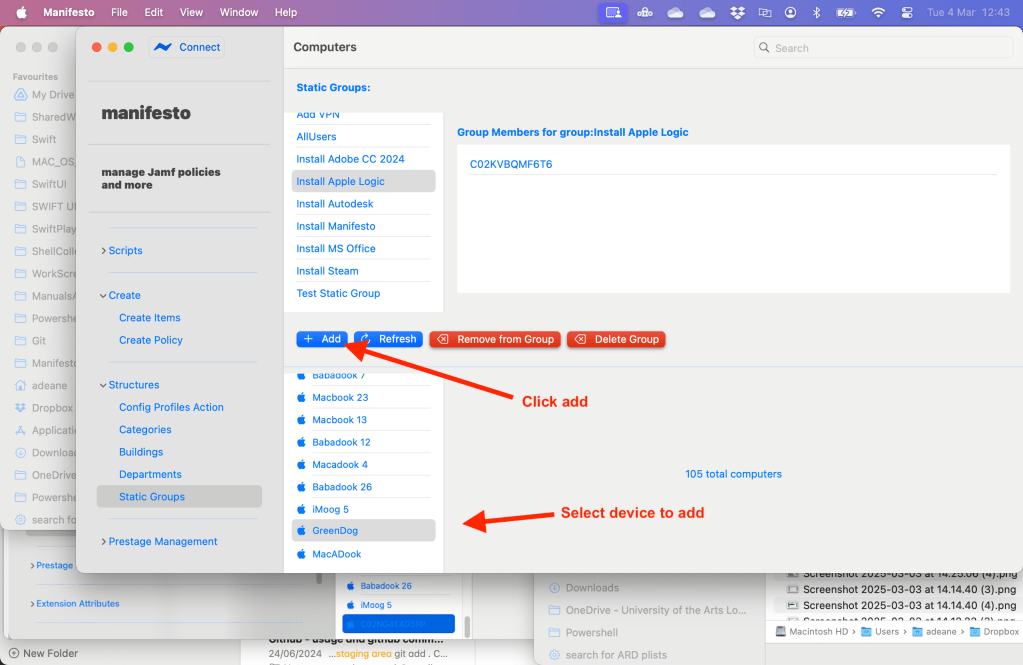
GreenDog is now in the group and will receive the software.
- Get creative with the Create Screens
Like adding to static groups, here it’s possible to added new objects to Jamf.

The Add Policy option lets you create a simplified policy.
- Create a policy with many packages
A key advantage here is the ability to create a policy with multiple packages in a single action, in a simplified interface with fewer options. In the web view you have to add every package individually, which can take a long time. Here just select multiple packages and create the policy in one go. This really saves time on the big policies.
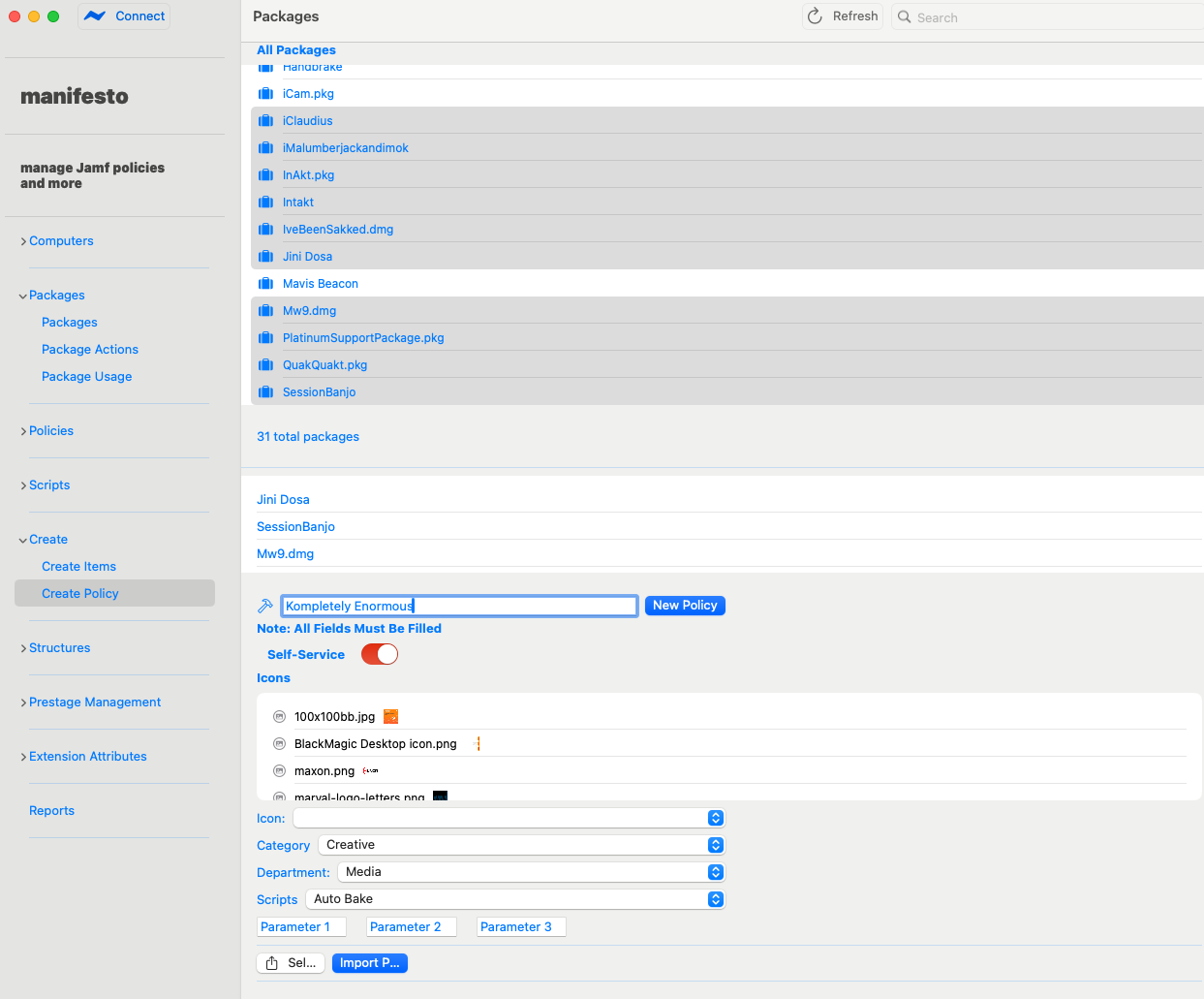
A policy is now created with multiple packages attached in a fraction of the time of the web interface
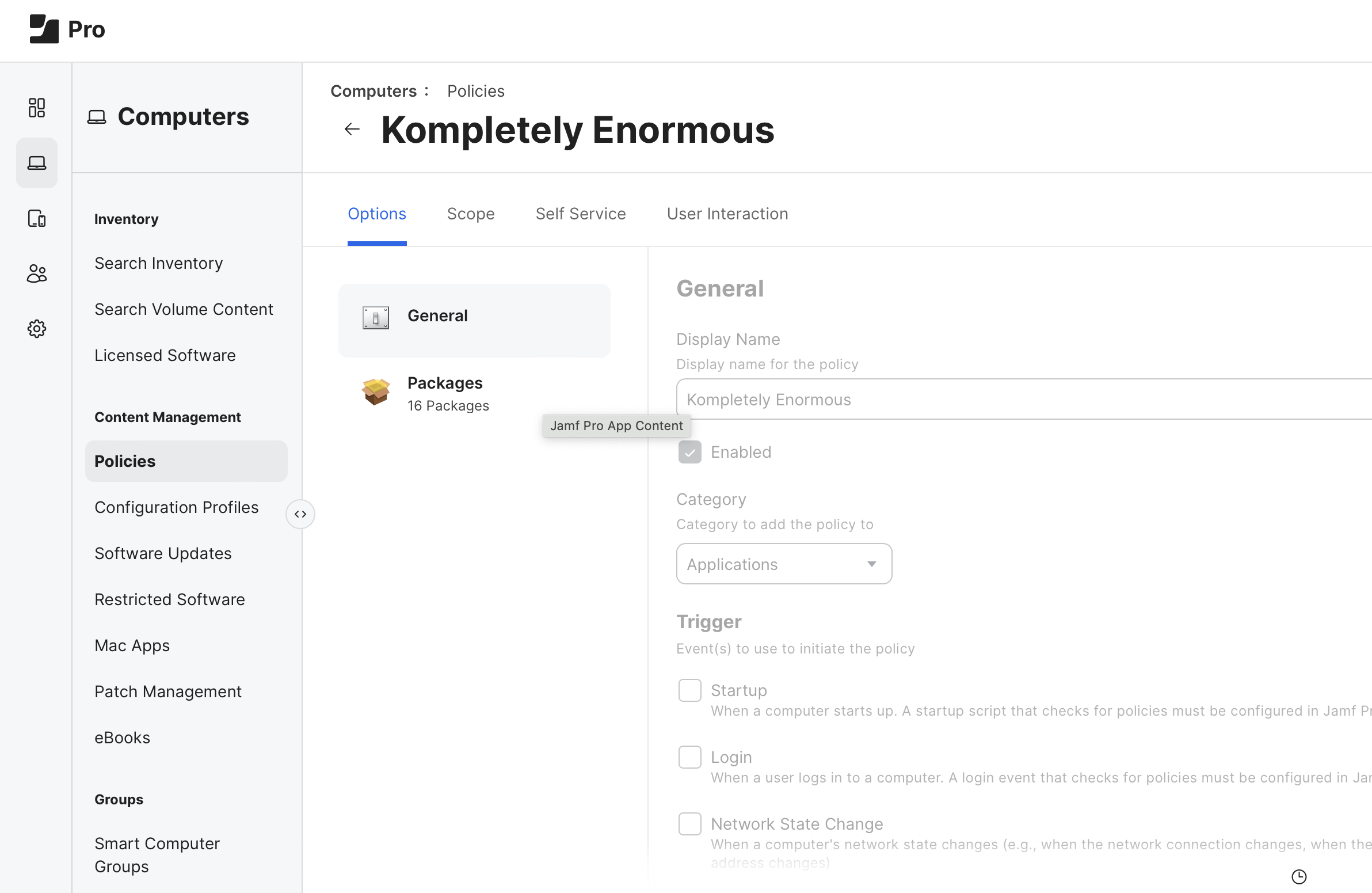
Export/Import a Policy from an Xml file
If you’re working with multiple Jamf servers a common thing you may wish to do is use the same policy across multiple systems. Manifesto offers options to both export a policy as xml from one server and then import it in a different server.
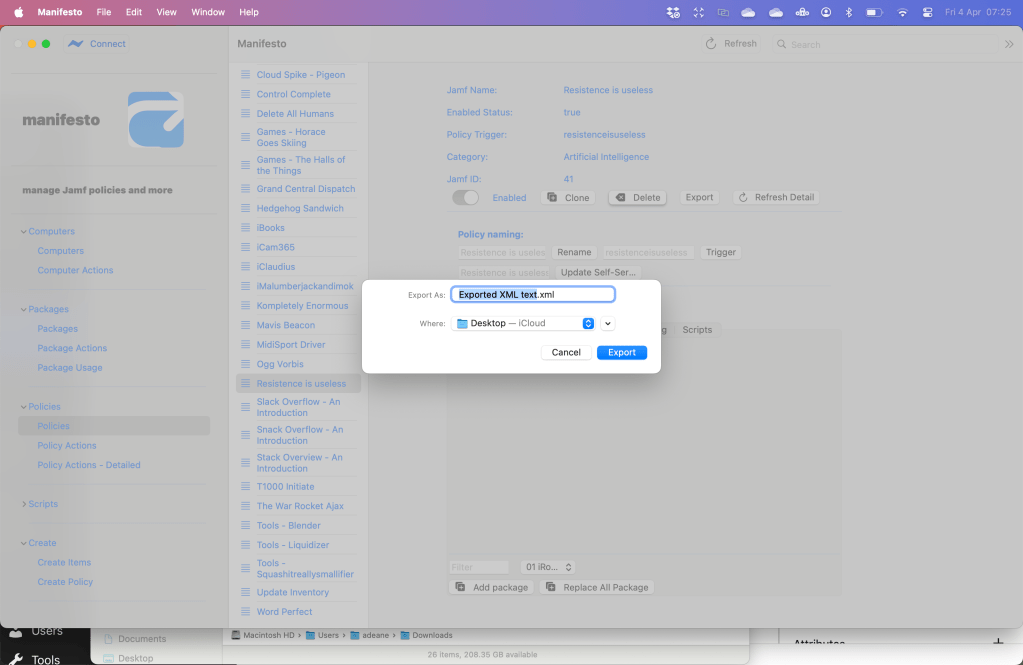
To export simply select the policy and select Export
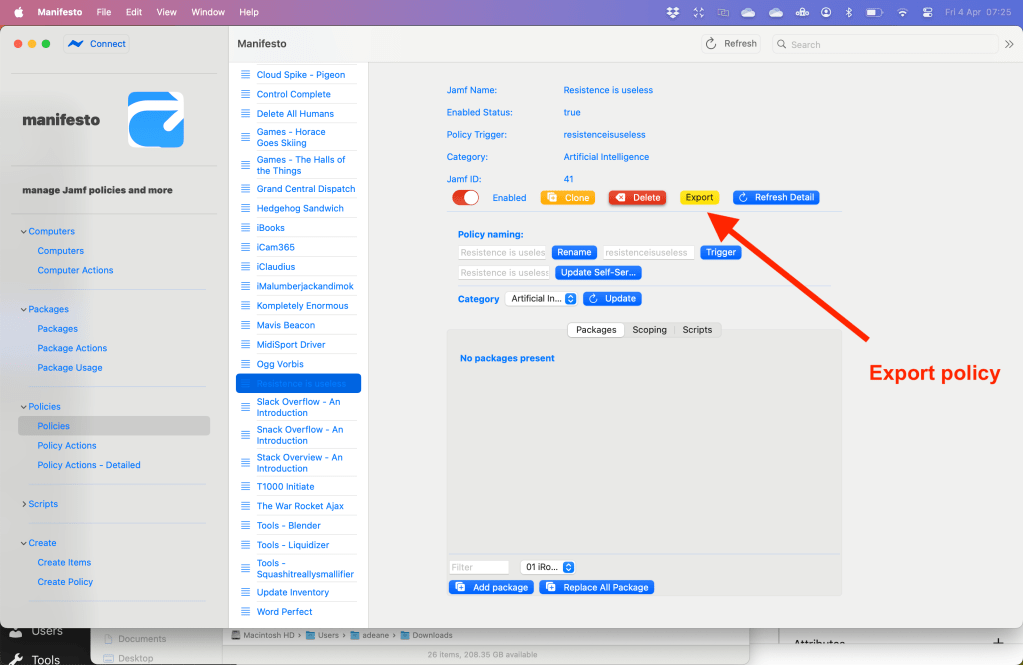
Then select your location
Clear Stuck MDM Profiles
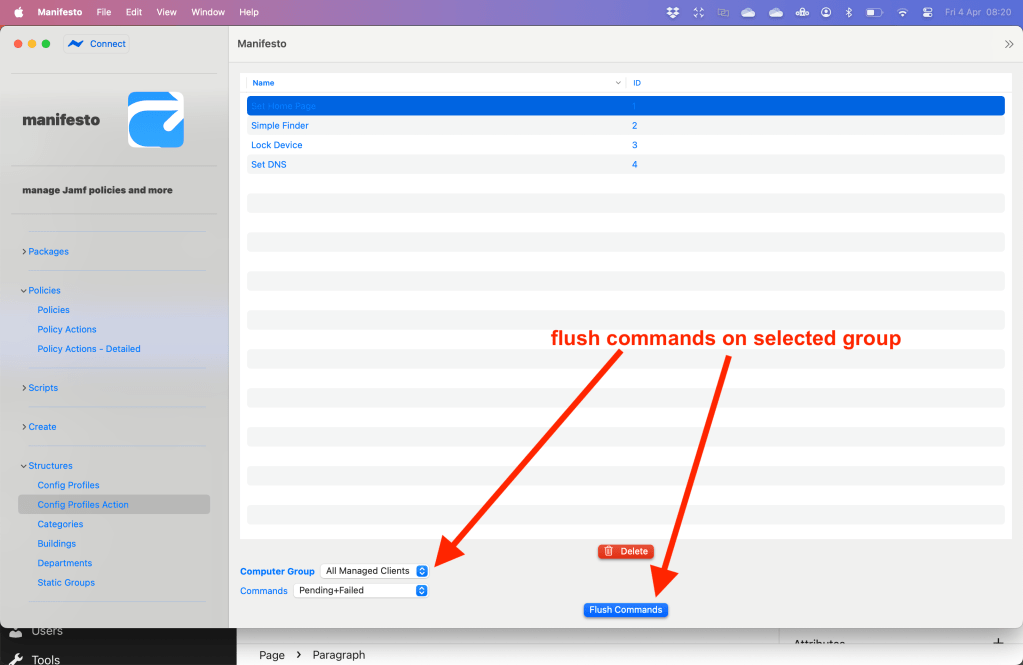
MDM profiles are great when they work, but a common problem is that a single profile gets stuck and blocks all subsequent profiles. Manifesto lets you either select devices and flush all pending and/or failed commands on them…….

or run via the config profiles screen you can flush the command for a selected group
 ethaMoos